Monitor New Actions in Sentinel & Defender XDR (V2)
Monitoring new actions in Microsoft Sentinel and Defender XDR is critical for continuously evaluating new possibilities to detect attacks and coverage. Last year I shared a solution to monitor for these new actions in Microsoft Sentinel and Microsoft Defender XDR (Blog: Monitor For New Actions In Sentinel And MDE). With the introduction of the Unified Security Operations Platform, the API support to run hunting queries has changed. Because of this, the original solution was due for an upgrade not only in the way it collected logs, but also to include support for very large environments.
I have now been running the new version of the Logic App for a couple of months, and this is still one of the most useful reports I get in my mail by far. The mail has inspired a lot of queries, detection and workbooks over the past years, more on why you would want to deploy it in the next section.
Why Monitoring New Actions Matters
Security operations need visibility into evolving behaviors. Monitoring new actions in Microsoft Sentinel and Defender XDR ensures your security teams stays ahead of attackers and product changes. Here’s why you should implement the solution.
- Proactive Data Approach - Move from reactive detection to proactive monitoring by identifying new signals before they become blind spots. These new actions bring new coverage areas to light for which you did not know logging was enabled.
- Product Updates - Microsoft frequently adds new event types, tables and/or actions. Detect these updates early to improve coverage without waiting for external advisories.
- Anomaly Monitoring - Unexpected actions can indicate suspicious activity or emerging attack techniques. Tracking anomalies strengthens threat hunting and the report can be used to start an investigation in why this action only triggered once in the last 90 days.
Deploy to Azure: Both versions of the Logic App are available in the Sentinel-Automation repository, follow the links for the Managed Identity or Application versions of the Logic App.
What’s New in Version 2
- Action collection via Microsoft Graph API
- Graph API Authentication using Managed Identity or ServicePrincipals using Azure Key Vault
- New reporting template with improved readability
- Summary Rule design for large environments
- Optional long-term action baseline using Sentinel Summary Rules
Weekly Report with Logic Apps
After deployment, the Logic App sends a weekly HTML report summarizing new actions detected in the last 7 days. The report includes:
- TableName: Source table (e.g., DeviceEvents, SecurityEvent)
- Action: Newly observed operation or event type
- TotalEntries: Count of occurrences Logic App steps involved:
The default baseline period used is 90 days, this should be changed based on your default Sentinel retention configuration.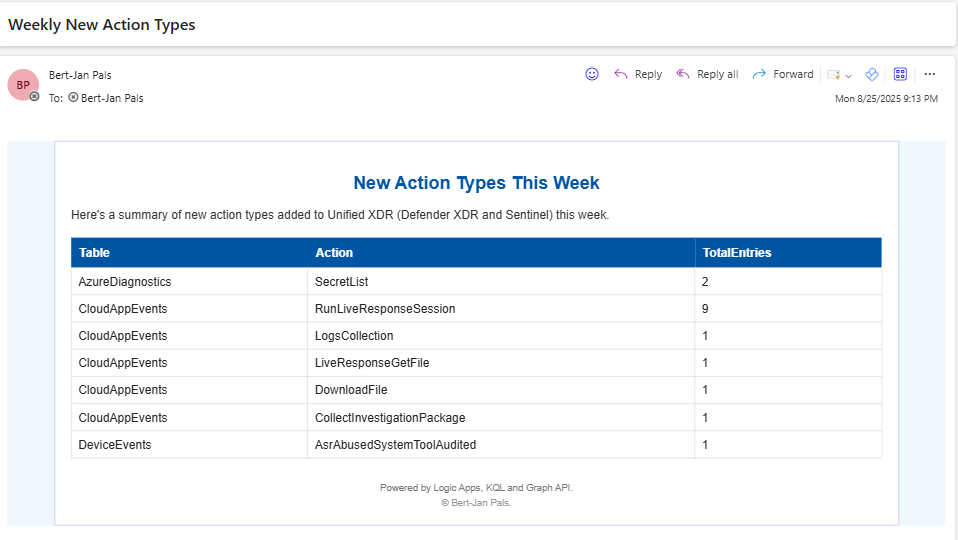
Prerequisites
The logic apps needs the following permissions to run.
- Office 365 Connection: Enables email delivery of reports.
For Managed Identity Graph API Authentication (recommended):
- Enable SystemAssigned identity for Logic App.
- Assign ThreatHunting.Read.All permissions via Microsoft Graph to the Managed Identity (Example).
For Application based Graph API Authentication:
- Register Azure AD App with ThreatHunting.Read.All permissions.
- Store secrets in Azure Key Vault to avoid plaintext credentials.
Configuration
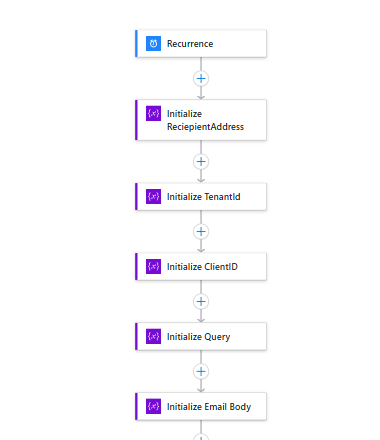
The variables in the logic app should be adjusted to get it configured for your tenant. The Managed Identity Authentication is preferred as it is the safer option, requires less management, and for this specific logic app requires less configuration. The query and email body variables do not require changes.
Managed Identity Authentication
- The recurrence can be set to a preferred day and time at which the report should be delivered.
- RecipientAddress sets one or more recipients of the report.
Application Authentication
The variables in the logic app should be adjusted to get it configured for your tenant.
- The recurrence can be set to a preferred day and time at which the report should be delivered.
- RecipientAddress sets one or more recipients of the report.
- TenantId should be set to your tenantId.
- ClientID is the id of the Application that connects to the Graph API.
- Set the KeyVault to an exsisting one.
Handling Large Environments with Summary Rules
In very large environments, the Graph API query can time out, what a large environment is depends on the inflow of data. To solve the timeout issues on the Graph API, Sentinel Summary Rules can be used if this is the case in your environment.
Create Summary Rule
The Sentinel summary rule can be created from the Unified XDR portal:
- Microsoft Sentinel
- Configuration
- Summary Rules
- Create
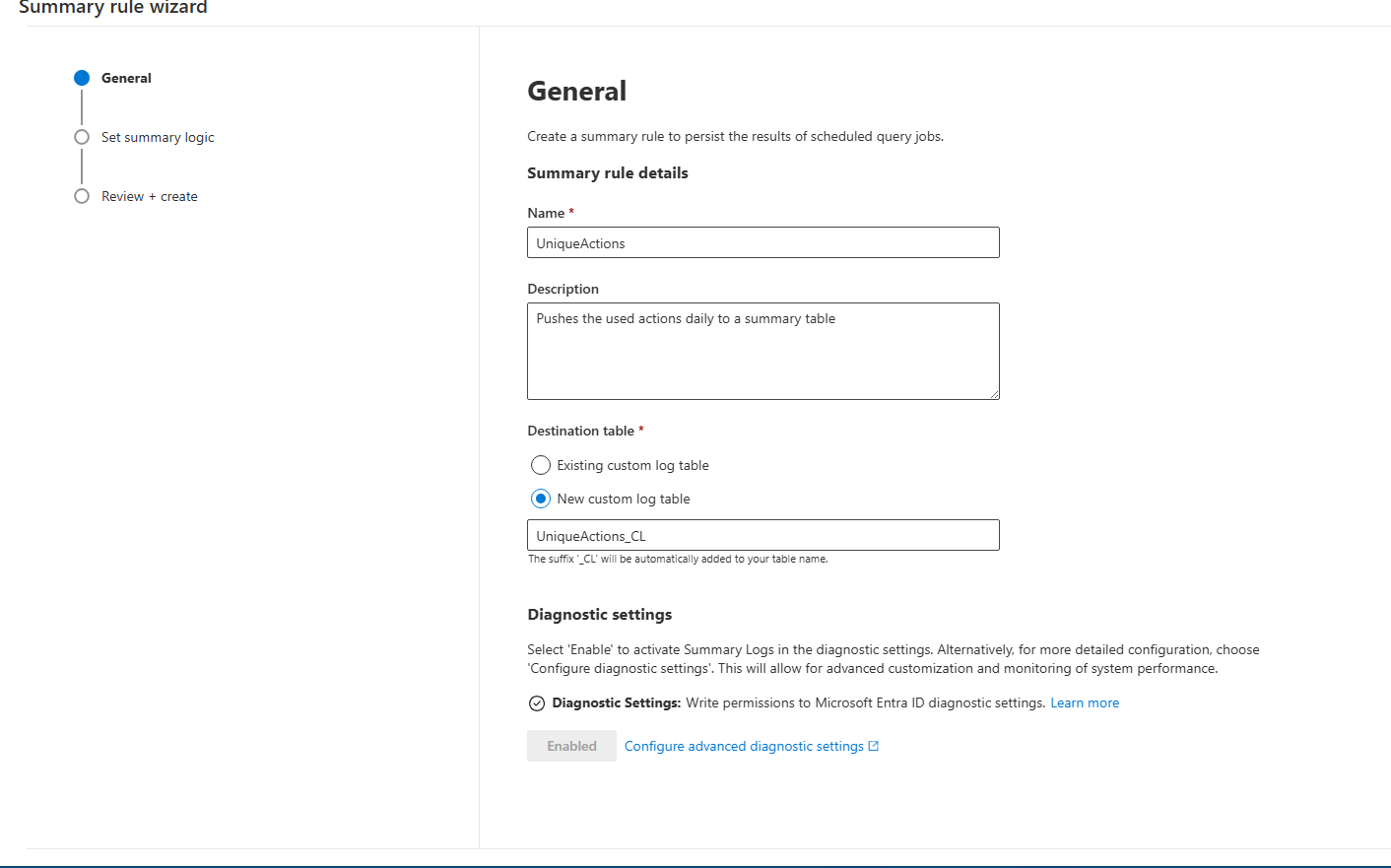
Give the summary rule a name and make sure the data is pushed to a new table. The name of this table is needed later.
KQL Query Summary Rule
Due to the fact that wildcard unions are not supported in summary rules anymore, you will need to create a list with relevant tables to monitor in your environment. The query below can be used to create a set with all tablenames. Note this query can take up all your CPU resources in the tenant, thus only execute when you can accept not having any query capacity for the next 15 minutes :).
union *
| extend Action = coalesce(OperationName, OperationNameValue, ActionType, tostring(EventID))
| where isnotempty(Action)
| summarize make_set(Type)
The query logic for this rule can be copied from below. The summary rule should be configured to run every 24 hours. The output of the query is written to the UnqiueActions_CL table.
let StartDate = startofday(ago(1d));
let EndDate = startofday(now());
union DeviceRegistryEvents,DeviceProcessEvents,DeviceNetworkEvents,DeviceLogonEvents,DeviceImageLoadEvents,DeviceEvents,
DeviceFileEvents,BehaviorEntities,BehaviorInfo,EmailPostDeliveryEvents,UrlClickEvents,IdentityDirectoryEvents,IdentityQueryEvents,
IdentityLogonEvents,CloudAppEvents,DeviceCustomFileEvents,DeviceCustomNetworkEvents,AADRiskyUsers,DeviceCustomScriptEvents,
AzureActivity,AADUserRiskEvents,SecurityEvent,AADManagedIdentitySignInLogs,BehaviorAnalytics,SigninLogs,
AADNonInteractiveUserSignInLogs,SentinelHealth,MicrosoftServicePrincipalSignInLogs,AADServicePrincipalSignInLogs,
AzureDiagnostics,IntuneDevices,AuditLogs,IntuneDeviceComplianceOrg
| where TimeGenerated between (StartDate .. EndDate)
| extend Action = coalesce(OperationName, OperationNameValue, ActionType, tostring(EventID))
| where isnotempty(Action)
| summarize TotalEvents = count() by Type, Action
| extend RetrievalDate = StartDate, TableName = Type
| sort by TableName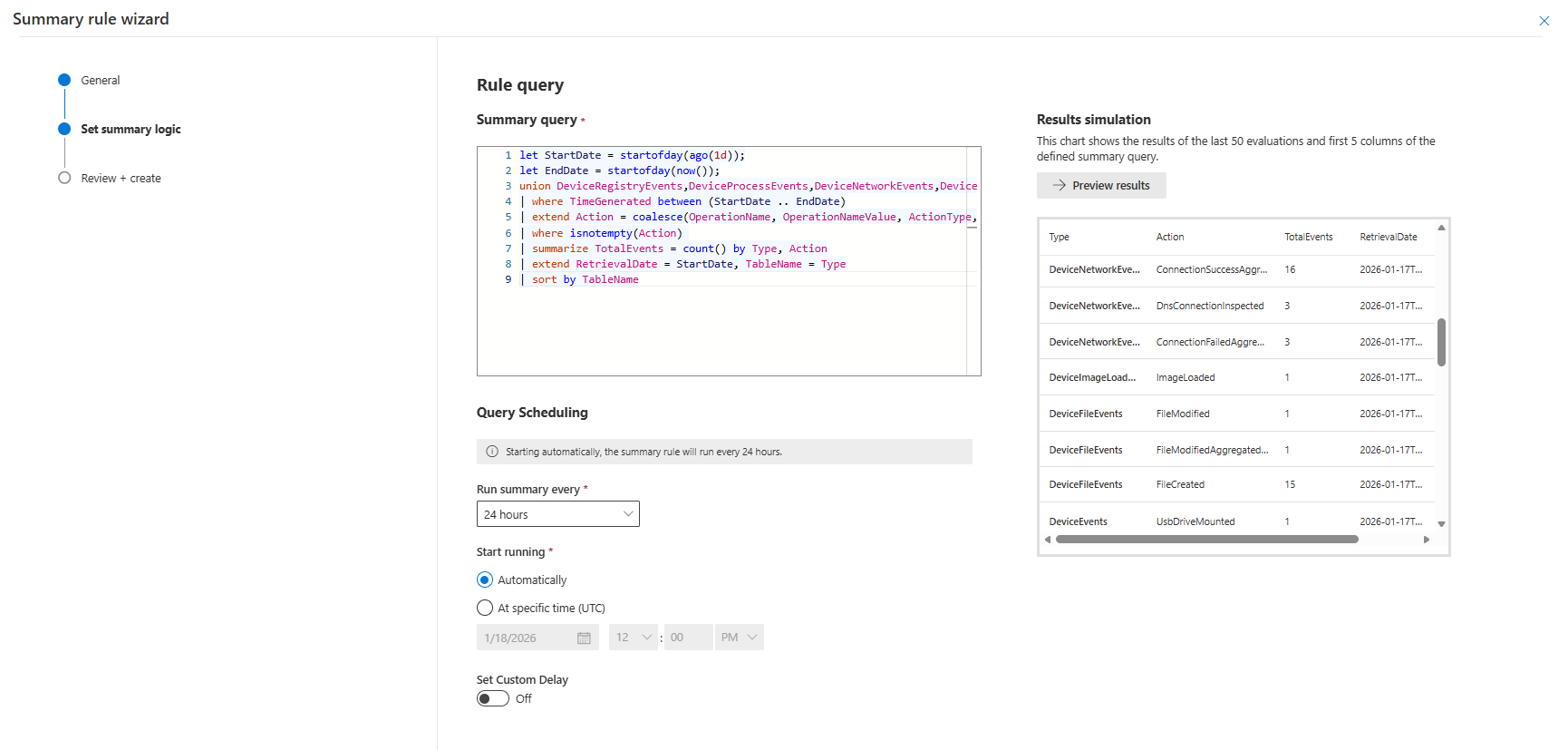
TIP: Set the data retention on the table you push the actions to to at least one year. With the summary rule you can easily extend the known events to one or two years without getting issues with the API limits. The data you store here are the number of events per action found in your environment. This aggregated data is very cheap to save, and could be used to identify trends/patterns over longer periods of time.
Update Logic App
When you chose to use the summary rule option the Initialize Query variable should be changed to query the results of the summary rule.
let TimeFrame = 180d;
let Schedule = 7d;
let KnownActions = materialize (Actions_CL
| where TimeGenerated between (startofday(ago(TimeFrame)) .. endofday(ago(Schedule)))
| distinct Action);
Actions_CL
| where TimeGenerated > endofday(ago(Schedule))
| where isnotempty(Action) and Action !in (KnownActions)
| summarize TotalEntries = sum(TotalEvents) by Action, TableName
| sort by TableName asc, Action
| project TableName, Action, TotalEntries
Hope you enjoyed the read! Now it is your time to change to a proactive approach for your logging strategy.
Questions? Feel free to reach out to me on any of my socials.